Google Workspace tells a Firefox admin to install Chrome or lose account access
The screen said the user might soon lose access to their account, and the only fix offered was to download Chrome and sign in with the work account. The admin had configured no such policy.
Open admin.google.com in Firefox and a security banner appears: secure your device, download Chrome, sign in with your work account. No technical reason was visible for the demand.
The blog's author turned up in the thread to confirm he is the admin, has never enabled Identity-Aware Proxy, and is on Workspace Business Plus, where Google's Context-Aware Access browser lock isn't even available. So what is triggering it?
A login warning that only Chrome can clear
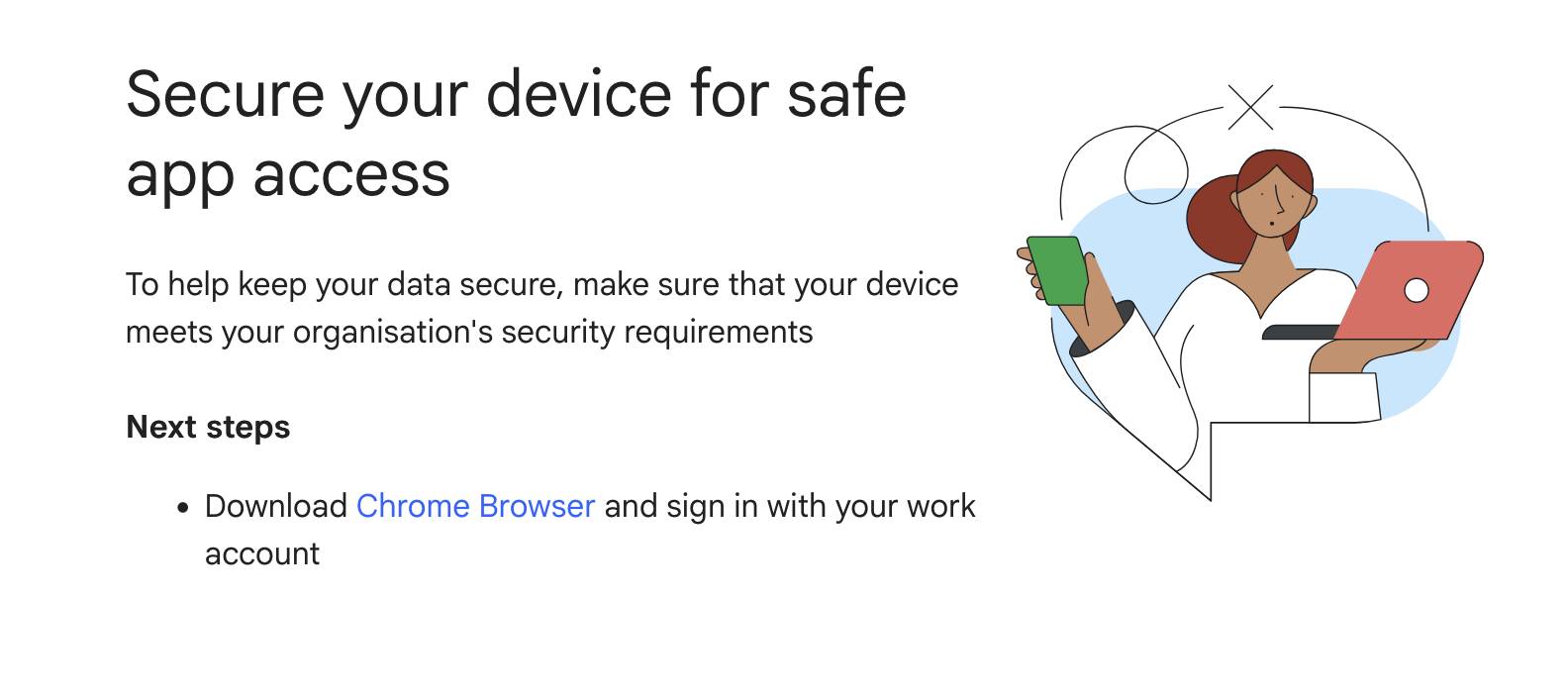
The original post is short and concrete: a Workspace user opens admin.google.com in Firefox and is met with a banner warning that they may soon lose access to their account. The screenshot uses the word secure three times in two sentences, and the only remedy offered is to install Chrome and sign in there with the work account.
The author went looking for the policy that would explain it and found none. Google's own support docs say Workspace works fine in Firefox; he hadn't turned on Identity-Aware Proxy (Chrome-only) or Context-Aware Access. Google support later told him it was merely a recommendation for admins, not a block — which sits awkwardly next to a banner about losing access.
The thread's first instinct: blame your own IT, not Google
The most-upvoted technical reading was that this is a configured policy, not a Google-wide switch. One reader pointed to Google's Context-Aware Access docs, noting the exact setting that would produce this screen:
"In particular 'Allow access to devices using Chrome browser with security requirements' would present this message." — a Workspace admin who traced it to the policy console
That framing got sharp:
"This title is just incredibly misleading. OP seems to have made a mistake here in thinking that this is something that Google has done when it's just that their corporate IT/Sec team now enforces using Chrome." — an infosec engineer
The author closes the easy explanation
Then the blog author showed up to answer the common threads directly:
"Hi folks, blog author here … No we don't have, or use, IAP … Yes I'm the admin so can confirm this … 'Context aware access' is only available on enterprise, we're just on 'Workspace business plus'." — the post's author, confirming he is the org admin
If Context-Aware Access isn't available on his plan, the tidy "it's your IT team" story doesn't fully close. That left the room arguing about intent rather than configuration.
Why people read a banner as a nudge
Several described the same pattern from the other side. One recounted weeks of a GCP build failing with a vague sandbox error that vanished the moment he switched from Firefox to Chrome. Another noted that Google finally pushed its own staff off alternate browsers — doing it to external customers, he wrote, is "definitely a choice." A separate reader reported YouTube suddenly claiming his iPhone Safari couldn't play fullscreen video, a capability it never previously denied.
Whether this specific banner is an admin policy or a default that escaped, the read in the thread was the same: when one company owns the browser, the search box, the mail, and the office suite, even a "recommendation" arrives with the weight of a gatekeeper. The fix in the screenshot is never "here's how to keep using Firefox safely." It's always: switch.
Get breakdowns like this every day
The top Hacker News stories, unpacked — by email, Telegram, or RSS.
An amateur says he cracked Linear A with Claude Code. Skeptics count the characters
Tom Di Mino claims readings for 40 signs and a 408-word lexicon of a script unsolved for over a century. The catch a classicist raised in the thread: the entire surviving Linear A corpus is about 7,500 characters.